
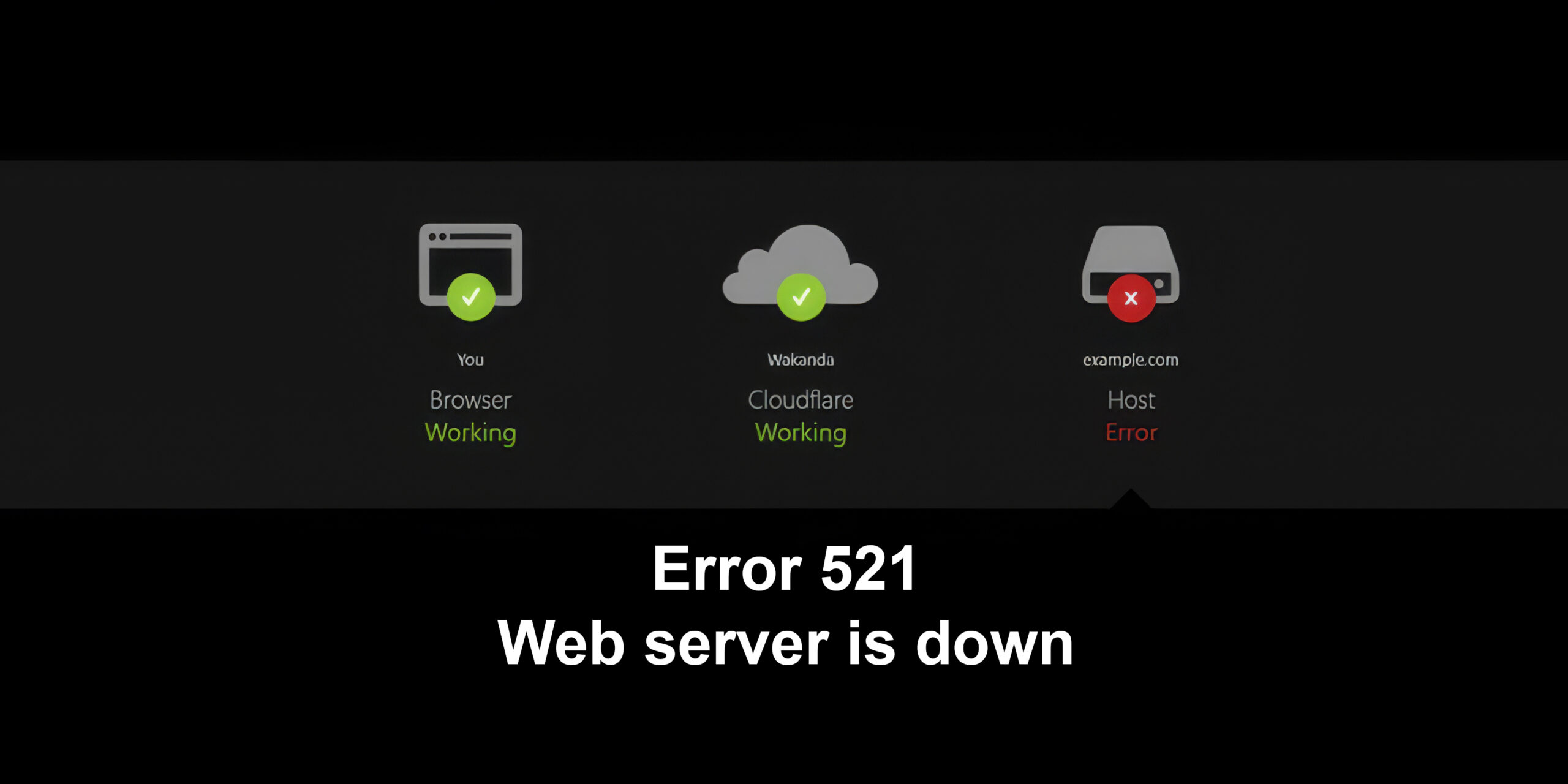
Error code 521 – What It Is and How to Fix It Safely
When you see error code 521 with the message “Web server is down”, it usually appears in front of your visitors with the Cloudflare branding. For many site owners this is both alarming and confusing: the site seems online, yet users still receive this error. Understanding what error code 521 really means – and what it does not mean – is the first step to fixing it quickly.
In this guide, you’ll learn what error code 521 technically represents, the most common root causes, and a clear, safe step-by-step approach to resolving it. Whether you manage a WordPress site, a custom application, or multiple production environments behind Cloudflare, you’ll find practical checks, configuration tips, and prevention strategies.
Understanding error code 521 in Cloudflare
What error code 521 actually means
Error 521 is a Cloudflare-specific 5xx status. It indicates that Cloudflare successfully reached your origin server’s IP address but the origin refused the connection instead of accepting it. In other words, Cloudflare knocked on the door of your server, but the server either slammed it shut or didn’t respond at all.
Key points to understand:
- It is not a standard IETF HTTP status code – it’s defined and used by Cloudflare as part of their 5xx range.
- The issue is almost always at the origin server or its network/firewall layer, not in the visitor’s browser.
- The error usually appears intermittently at first (under load or during maintenance) and then more frequently if underlying problems are not fixed.
How Cloudflare sits between browser and origin
Cloudflare acts as a reverse proxy and CDN:
- The visitor’s browser sends an HTTP/HTTPS request to your domain.
- The DNS for your domain points to Cloudflare’s anycast IPs rather than directly to your server.
- Cloudflare checks cache, security rules, and then opens a connection from its edge node to your origin server.
- If the origin server refuses or fails this connection, Cloudflare generates error code 521 and returns it to the visitor.
So even if you can reach the server via SSH or control panel, Cloudflare might still be blocked or refused at the HTTP(S) level.
Common causes of error code 521
Origin web server is offline or overloaded
The most frequent cause is simply that the web server process (for example Nginx, Apache, LiteSpeed) on the origin is:
- stopped or crashed,
- overloaded and not accepting new connections, or
- listening on the wrong port.
Typical scenarios:
- A PHP-FPM crash causing the web server to stop responding.
- Resource exhaustion (CPU, RAM, disk I/O) during traffic spikes.
- Hosting provider restarting services or performing maintenance.
In all of these cases, Cloudflare reaches the host, but the HTTP(S) daemon behind it refuses (or cannot handle) the connection, so it reports error 521.
Firewall or security software blocking Cloudflare
Another very common reason: firewalls or security tools mistake Cloudflare IPs for malicious traffic and block them.
This may happen in:
- iptables / nftables or Windows Firewall rules
- Hosting control panels with built-in security (CSF, cPanel firewalls, Plesk extensions)
- Web application firewalls (WAF) at the origin
- Intrusion detection/prevention tools (Fail2Ban, mod_security rules, etc.)
If Cloudflare’s IP ranges are not explicitly allowed, rate-limited, or temporarily banned, the origin server may respond with TCP resets or simply drop connections – which Cloudflare interprets as error code 521.
TLS / HTTPS configuration issues
When you use HTTPS between Cloudflare and your origin, misconfiguration can also trigger 521 in practice:
- The origin listens only on HTTP (port 80) while Cloudflare expects HTTPS (port 443).
- The origin’s SSL/TLS certificate is invalid or expired and local policies refuse the handshake.
- Cloudflare is set to use “Full (strict)” mode but your origin does not serve a valid certificate.
While some SSL problems generate other Cloudflare errors (like 525 or 526), broken encryption stacks can still cause the origin to terminate connections, surfacing as 521 from the user’s perspective.
Network or DNS configuration problems
Less commonly, misrouted traffic or incorrect DNS leads to a refusal:
- A-record points to a wrong internal or dead IP where no web server is listening.
- Hosting provider changed server IPs but DNS was not updated.
- Network ACLs or router rules accept pings but block HTTP(S) ports.
In these cases the origin is “reachable” in some sense, but not correctly configured to respond to web traffic.

Error code 521 vs other Cloudflare 52x errors
Comparing common Cloudflare 5xx status codes
Below is a simplified comparison of Cloudflare’s most relevant origin-related 5xx codes:
| Code | Message | What it typically means | Main focus |
|---|---|---|---|
| 520 | Web server unknown error | Origin returned an unexpected/empty response | Generic origin issue |
| 521 | Web server is down | Origin refused Cloudflare connections | Server offline / firewall blocking |
| 522 | Connection timed out | Origin did not respond before timeout | Slow, overloaded, or unreachable |
| 523 | Origin is unreachable | Cloudflare could not route to origin at all | Routing / DNS / network problem |
| 524 | A timeout occurred | TCP connected, but HTTP response took too long | Long backend processing |
| 525 | SSL handshake failed | TLS handshake between Cloudflare and origin failed | Certificate / TLS configuration |
| 526 | Invalid SSL certificate | Origin’s certificate failed validation | Wrong or expired certificate |
Understanding these differences helps you rule out issues and focus on the right layer when you see error code 521.
Step-by-step guide: How to fix error code 521
Quick checks before deep troubleshooting
Before diving into advanced debugging, perform these quick, low-risk checks:
- Use a tool like
curlor a browser to access your origin server directly by IP (bypassing Cloudflare DNS). - Ask your hosting provider if they see recent outages, restarts, or DDoS mitigation events.
- Temporarily disable origin-side firewalls to see if the error disappears (only if you can safely test in a controlled environment).
These simple steps often immediately reveal whether the problem is a downed server or aggressive security rule.
Detailed troubleshooting steps
Confirm your site really returns error code 521
- Visit your domain through a normal browser session.
- Verify the exact text of the error page – it should show “Web server is down (Error 521)” and Cloudflare styling.
- Check multiple pages and subdomains to see if the error is global or limited to certain hosts.
If you see a different 5xx code, follow the path for that specific error instead.
Bypass Cloudflare and test the origin directly
- Find the origin server IP from your hosting panel or server configuration.
- Add an entry to your local hosts file mapping the domain to that IP, or simply use the IP directly in the browser (
http://origin-ip). - If the site loads correctly by origin IP, the problem is probably Cloudflare–origin communication or firewall rules.
- If the origin IP does not respond, the core issue is on the server/hosting side, not Cloudflare.
Check whether the web server is running
- Log into the server via SSH or your hosting provider’s console.
- Verify that the web server service is active, for example:
•systemctl status nginxorsystemctl status apache2 - Restart the service if needed and monitor logs (
error.log,access.log) for crashes or resource issues. - Confirm it listens on the expected ports (80/443) using a command such as
ss -tlnpornetstat.
If you restart the service and error code 521 disappears, consider optimizing resources, upgrading hosting, or tuning connection limits to avoid recurrences.

Review firewalls and security tools for error code 521
- List all security layers between Cloudflare and the web server: host firewall, external firewall, WAF, intrusion prevention, rate-limiters.
- Ensure the official Cloudflare IP ranges are explicitly allowed in these tools and not subject to automatic blocking or geo-blocking rules.
- Clear any blocklists or temporary bans associated with Cloudflare IPs.
- If possible, place Cloudflare IP ranges into a trusted list or lower-sensitivity rule set.
Often, 521 disappears immediately after Cloudflare addresses are whitelisted correctly.
Validate DNS and origin configuration
- Open your DNS management panel and review A / AAAA records for each hostname returning error code 521.
- Confirm that each record points to the correct, current origin IP.
- Make sure there are no legacy or test IPs left over from migrations.
- If you use multiple origins (load balancing), check that all nodes are healthy and correctly monitored.
Check SSL/TLS modes and ports
- In the Cloudflare dashboard, verify the SSL mode: “Off”, “Flexible”, “Full”, or “Full (strict)”.
- Match this mode to your origin capabilities:
If origin serves only HTTP, using “Full (strict)” will inevitably cause failures.
If origin has a valid certificate, prefer “Full (strict)” for security. - Ensure your origin is listening on the ports Cloudflare expects (80 and/or 443, or one of the documented alternate ports).
- Fix any certificate errors, renew expired certificates, and verify ciphers if you manage TLS manually.
While pure TLS errors often appear as 525/526, tightening this layer significantly reduces the risk of intermittent 521s under edge conditions.
Inspect server logs for hidden causes of error code 521
- Review web server error logs around the timestamps of the 521 incidents.
- Look for frequent restarts, segmentation faults, or out-of-memory messages.
- Check operating system logs (
journalctl, system logs) for network issues or kernel-level drops. - Correlate any patterns with traffic surges, cron jobs, backups, or deploys.
Coordinate with your hosting provider
If you’re on shared or managed hosting, the provider controls parts of the stack you can’t see:
- Open a ticket describing error code 521, including approximate times, affected domains, and whether direct IP access works.
- Ask if they can see firewall blocks, rate limits, or node failures affecting your account.
- Request that Cloudflare IP ranges be whitelisted at the network edge if not already.
Good providers are familiar with Cloudflare’s 5xx errors and can usually identify the origin-side cause quickly.
Preventing future occurrences of error code 521
Hardening your origin server
To reduce the chance of facing error 521 again, implement a few best practices:
- Right-size your hosting plan so CPU, RAM, and I/O are adequate for peak traffic.
- Configure proper connection limits, keep-alive settings, and caching to avoid overload.
- Keep your web server and application stack updated and regularly patched.
- Use monitoring tools to alert you if services stop or resource usage spikes.
Designing firewall rules with Cloudflare in mind
Rather than blocking “suspicious” IPs on the origin, shift as much filtering as possible to Cloudflare’s own security features. At the origin:
- Allow Cloudflare’s current IP ranges explicitly.
- Avoid per-IP blocking of Cloudflare addresses based on volume alone; use Cloudflare-side rate limiting instead.
- Review automation like Fail2Ban to ensure it never bans Cloudflare IPs permanently.
This approach means your origin mainly trusts Cloudflare as a secure upstream, while Cloudflare inspects and filters end-users globally.
Monitoring and alerting for early detection
Setting up basic uptime and performance monitoring helps catch the root problems behind error code 521 before they affect many users:
- External uptime checks hitting your domain via Cloudflare and directly via origin IP.
- Alerts for high CPU, RAM, or connection count on the server.
- Synthetic HTTPS tests from multiple regions.
When alerts fire, you can investigate and fix the underlying cause – such as resource exhaustion or misbehaving deployments – before Cloudflare starts returning 521 at scale.
FAQ – Error code 521
Error code 521 is a Cloudflare-specific status that means Cloudflare could reach the origin IP address, but the origin web server refused the connection. In practice, it usually indicates that the web server is down, overloaded, or blocking Cloudflare’s IP ranges.
The most common causes of error code 521 are:
The web server (for example Nginx or Apache) is stopped, crashed, or not listening on the expected port.
A firewall, WAF, or security tool is blocking Cloudflare IP addresses.
DNS points to an incorrect or outdated origin IP.
HTTPS or TLS is misconfigured between Cloudflare and the origin.
No. Error code 521 is almost never caused by the visitor’s browser, device, or connection. It is a server-side or network-side issue between Cloudflare and the origin web server. Clearing browser cache or changing device may confirm the problem is not on the user’s side, but it will not fix the root cause.
To fix error code 521 efficiently, follow these steps:
Access the origin server directly by IP and confirm whether the site loads without Cloudflare.
Check that the web server service is running and listening on ports 80/443.
Review firewall and WAF rules and whitelist all official Cloudflare IP ranges.
Verify DNS records point to the correct origin IP address.
Check SSL/TLS mode in Cloudflare and ensure it matches the origin’s capabilities.
If the error persists, work with your hosting provider to review server and network logs.
Disabling Cloudflare or grey-clouding DNS records will make error code 521 disappear, because that code exists only in the Cloudflare layer. However, the underlying issue on the origin server (such as a crashed web service or bad firewall rule) will still exist. For a reliable fix, the origin configuration must be corrected instead of only removing Cloudflare.
