
How to Read OBD2 Codes Without Losing Diagnostic Information
Contents
Read the complete code, keep its status and save the freeze frame before clearing anything. A useful scan starts with the right tool and vehicle details.
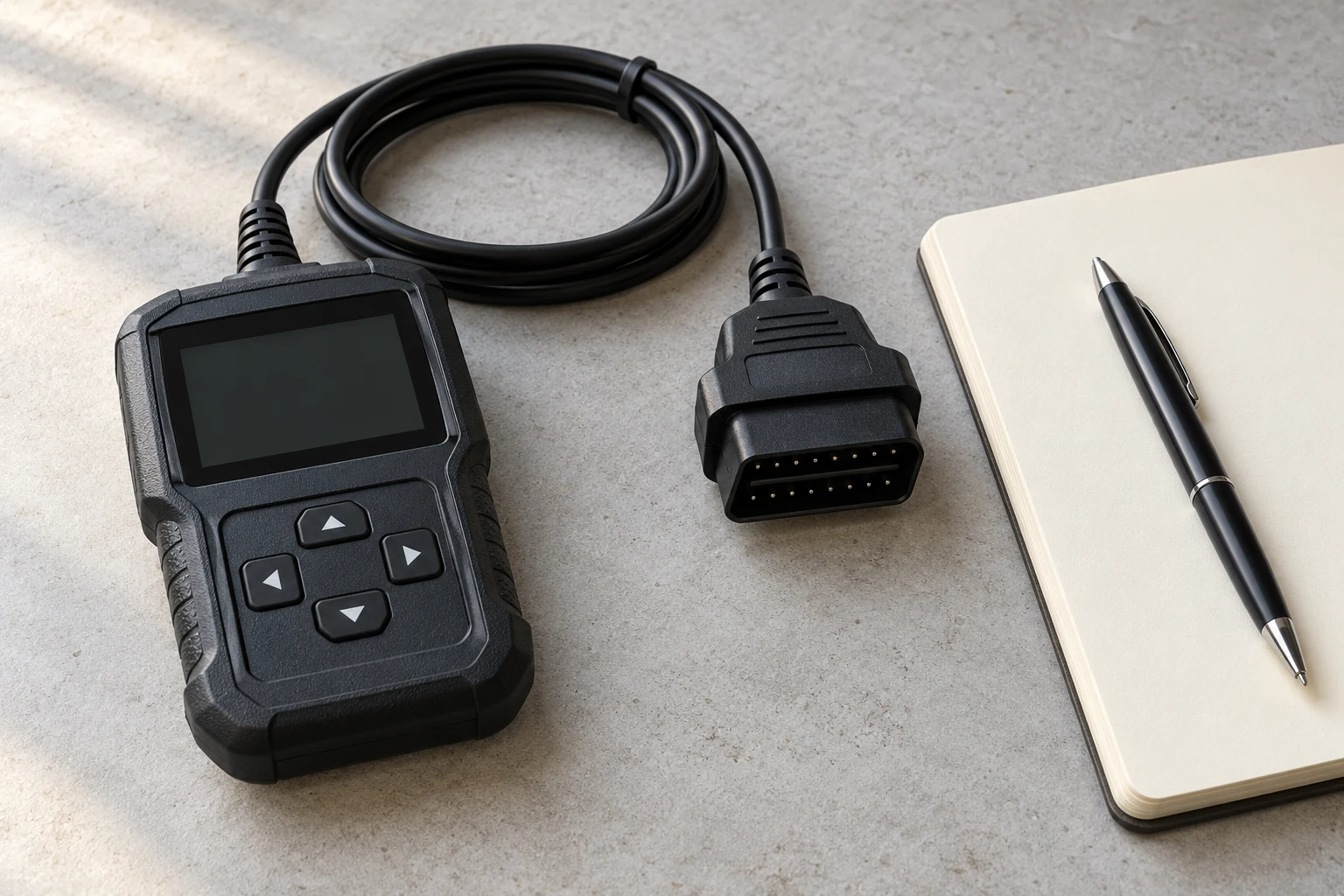
General code-reading workflow for compatible OBD-II/EOBD vehicles. Connection steps are explicitly tied to the Innova 3020RS or Bosch OBD1200 manual. Functions and module coverage vary; California inspection rules are not global standards.
Park safely and keep cables clear of pedals. Follow your tool and vehicle instructions. Do not operate a scanner while driving or run an engine in an enclosed space.
1. Check what your reader can actually access
An OBD2 reader retrieves diagnostic information from a compatible vehicle. It does not automatically inspect every electronic module. Check coverage for the exact make, model, year, engine and the function you need before treating a missing result as proof that nothing is wrong.
Innova's compatibility guidance explains that available features vary by vehicle. A device that reads check-engine codes may need additional coverage to retrieve ABS or airbag faults. The shape of the connector does not establish that every system is supported.
Prepare a place to save the results before connecting. A notebook, photographs or an exported scan report can all be useful. Record the vehicle details alongside the scan so that a later code lookup does not silently switch to a different engine or model year.
2. Follow the connection sequence for your tool
Park safely, apply the parking brake and keep the cable clear of the pedals. Use the vehicle instructions to locate the diagnostic connector; do not force a plug into an unfamiliar socket. Read both the reader's precautions and any relevant vehicle instructions.
Connection order is not identical in every manual. The Innova 3020RS manual specifies ignition off, connection to the 16-pin socket, then ignition on without starting the engine. The Bosch OBD1200 manual gives its own connection sequence. Follow the instructions for the equipment you are holding instead of mixing steps from different products.
If the screen is blank or communication fails, stop and consult that tool's troubleshooting section. An unsuccessful connection is not a clean scan. Do not bridge connector pins or fit a larger fuse to make the reader power up.
3. Read every code and preserve its status
Open the tool's code-reading function and wait for communication to finish. Names vary: the Innova 5410 uses a Global OBD2 menu for check-engine information, while other readers call it Read Codes or Diagnostic Codes.
Copy the complete letter-and-number sequence, any extra suffix, the description and the status shown beside it. Keep separate entries when the same code appears with different statuses or in different modules. A report that says only “oxygen sensor” discards information needed for the next check.
- Confirmed or stored results should be kept with their exact displayed wording.
- Pending results should remain labelled pending, rather than being reported as confirmed repairs.
- A permanent code needs a different explanation from an ordinary stored code.
California's Bureau of Automotive Repair explains that permanent diagnostic trouble codes cannot be removed by the normal erase command or battery disconnection. The vehicle's OBD system must verify that the fault is no longer present. Its inspection rules are California-specific; do not apply its pass/fail standards to another country.
4. Save the freeze frame and readiness information
Freeze frame is a snapshot associated with a fault, whereas live data describes values being reported now. Keep the snapshot's code association and units. Engine speed, coolant temperature and load can give the workshop context that the code alone cannot supply.
Bosch warns that erasing codes can remove freeze-frame information. Save it before pressing Clear or Erase. If the reader provides no freeze frame, record that limitation instead of filling in assumed temperatures or driving conditions.
Readiness is a separate result. A monitor marked incomplete has not finished its required self-check; it is not automatically a failed component. The Innova 5410 documentation shows why a zero-code display can still accompany unfinished monitors. Do not interpret “no codes” as a guarantee that every emissions check has passed.
5. Match the result to the correct vehicle
Use the full code and vehicle identity for the lookup. Innova's code library asks for both the make and diagnostic code because the relevant information must match the application. Keep the original spelling if the scan tool uses a manufacturer-specific description.
For example, P0300 describes a misfire monitoring result, while P0420 concerns catalyst efficiency. Neither description, by itself, proves which part should be replaced. Use the result to find the appropriate diagnostic procedure, not to assemble a shopping list.
6. Finish with a record, not an automatic reset
Before disconnecting, make sure you have the complete scan and the symptoms that prompted it. Follow the reader's shutdown and disconnection instructions. Do not clear a warning merely to see whether it will return before the original evidence is saved and the cause has been assessed.
If a workshop repairs the fault, ask for a follow-up scan and an explanation of any remaining pending or permanent codes and unfinished monitors. That makes the result easier to understand than a dashboard photograph showing that the lamp is temporarily off.
Never operate a scanner while driving. Running-engine tests require the precautions specified by the vehicle and equipment manufacturer, including safe ventilation. For a flashing warning light or serious drivability problem, arrange appropriate assistance instead of extending the journey to complete a scan.
Frequently asked questions
Does a code reader check ABS and airbags too?
Only if its coverage includes those systems on your exact vehicle. Generic check-engine access does not establish ABS or airbag coverage.
Why can a reader show no codes but incomplete monitors?
The results describe different things. No retrieved codes is not the same as all emissions self-checks having completed. Check the readiness screen and the tool’s explanation.
Can disconnecting the battery remove a permanent code?
A permanent diagnostic trouble code is not cleared by battery disconnection or a normal scan-tool erase command. The OBD system must verify that the fault is no longer present.
Check the original documents
Sources
- Innova 3020RS manual, pages 1–2 and 24–27
Safety, connection sequence and diagnostic limits
- Bosch OBD1200 manual, revision B March 2016, pages 20 and 33
Tool-specific connection and freeze-frame preservation
- Innova 5410: Scanning and Viewing DTCs
Global OBD2 menu, pending status and incomplete monitors
- California Bureau of Automotive Repair: OBD Test Reference
Permanent-code clearing behavior; local inspection scope
- Innova 1000 compatibility guidance
Vehicle-specific feature coverage
- Innova DTC library
Make and code required for application-specific lookup
Sources checked on 2026-10-25. Follow the instructions for your exact model.